Build a Pro iPhone Rig with Tilta Khronos
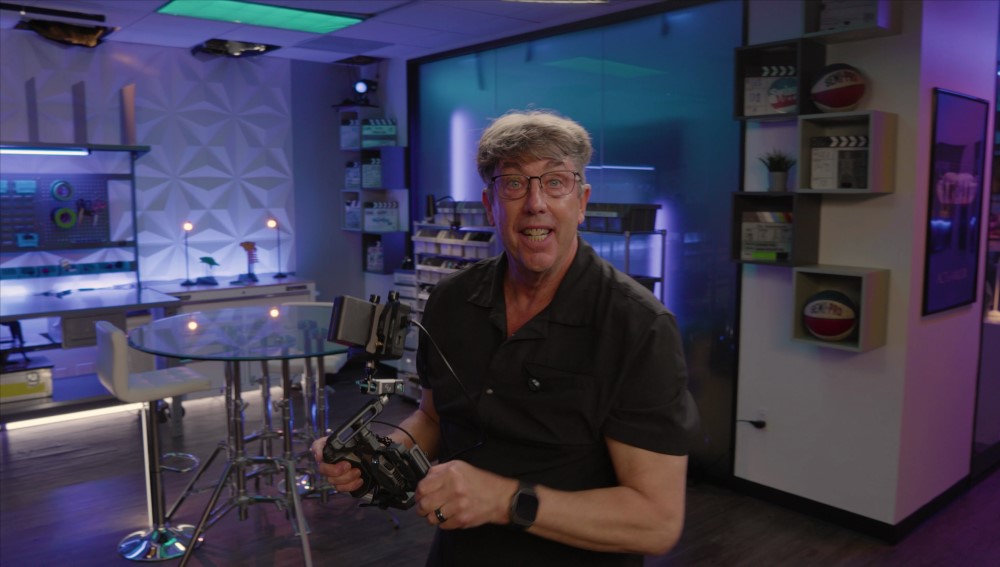
“I want to be a filmmaker. Where do I start? What camera should I use?”
This is one of the most common questions cinematographers like Shane Hurlbut, ASC, get from aspiring storytellers. His answer is often surprising: start with the powerful cinema camera already in your pocket. Modern smartphones, especially the iPhone, have incredible imaging capabilities, but they lack the ergonomics, connectivity, and control needed for a professional workflow.
However, a new ecosystem of innovative third-party gear is changing the game, transforming the iPhone from a simple device into a viable, professional filmmaking tool. In this article, Shane Hurlbut breaks down how to build a fully functional iPhone cinema rig using the Tilta Khronos system and other essential accessories, solving the key problems that have traditionally held phone-based filmmaking back.
What You Will Learn in This Article:
|
WATCH THE FULL EPISODE:
THE CORE PROBLEM FOR IPHONE FILMMAKERS:
While the iPhone camera sensor and processor are incredibly powerful, the device itself is designed for casual use, not for a film set. This creates several key challenges:
- Ergonomics & Stability: Holding a thin, slippery phone steady for cinematic shots is nearly impossible.
- Power: The internal battery drains quickly when shooting video, especially with the screen at full brightness.
- Connectivity: There are no built-in HDMI outputs for professional monitoring or extra USB ports for accessories.
- Storage: Recording high-quality video formats can quickly fill the phone’s internal storage.
- Light Control: There’s no native way to attach professional filters like Neutral Density (NDs) or polarizers.
A professional setup needs to solve all of these issues.
BUILDING THE RIG: THE TILTA KHRONOS ECOSYSTEM
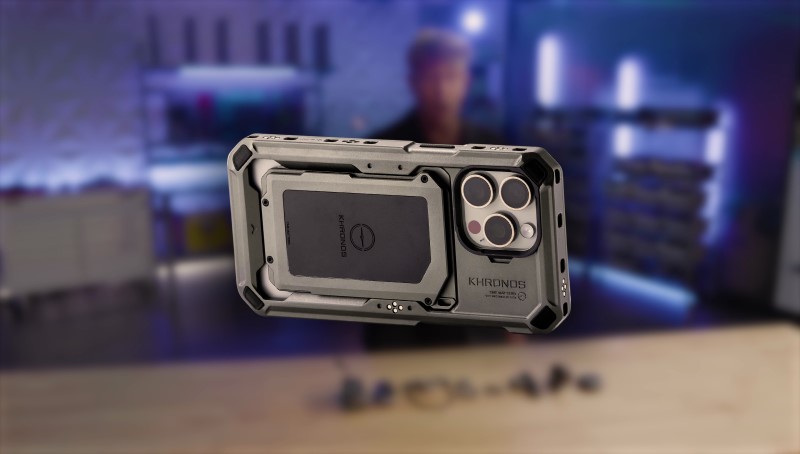
The foundation of Shane’s professional iPhone rig is the Tilta Khronos cage. It features integrated power contacts that turn the entire cage into an active, powered hub, allowing various modules to communicate with each other and the phone.
SOLVING ERGONOMICS & POWER: THE BATTERY HANDLE
The first and most crucial addition is a handle. As Shane demonstrates, this instantly provides stability for smoother handheld shots. But its real genius is the built-in battery.
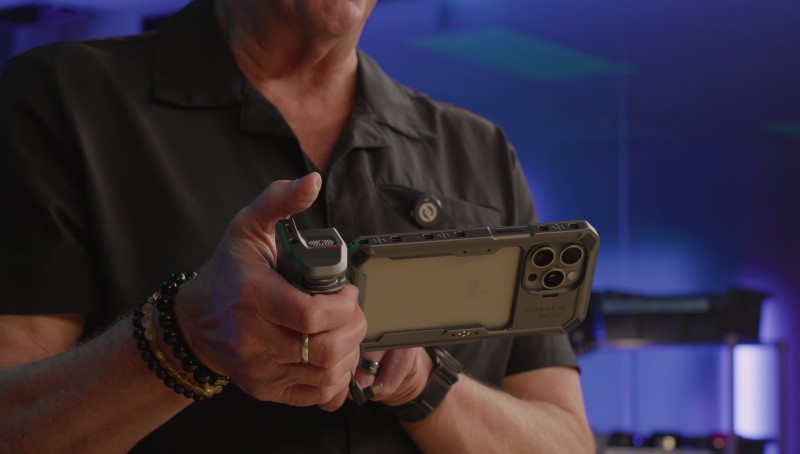
“You don’t have to worry about trying to hook up some external battery,” Shane explains. “It’s all within the handle.”
This solves two major problems at once, providing both a secure grip and extended power for longer shoots.
SOLVING CONNECTIVITY: THE I/O MODULE
Next, Shane adds a small module that clips onto the cage with an SSD holder, providing extra USB-C ports and an HDMI output. This is a game-changer, allowing you to connect professional accessories that are otherwise incompatible with a standard iPhone.

SOLVING CONTROL: THE BLACKMAGIC CAMERA APP
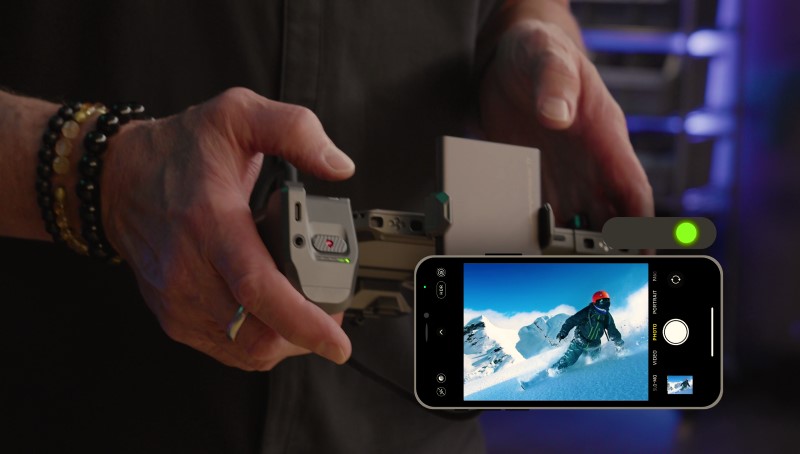
The handle goes beyond juicing up your camera system. Its buttons can control different camera apps. A double-click for a green light syncs with the native Apple iPhone app, but a second double-click for a red light engages the Blackmagic Camera app.
 |
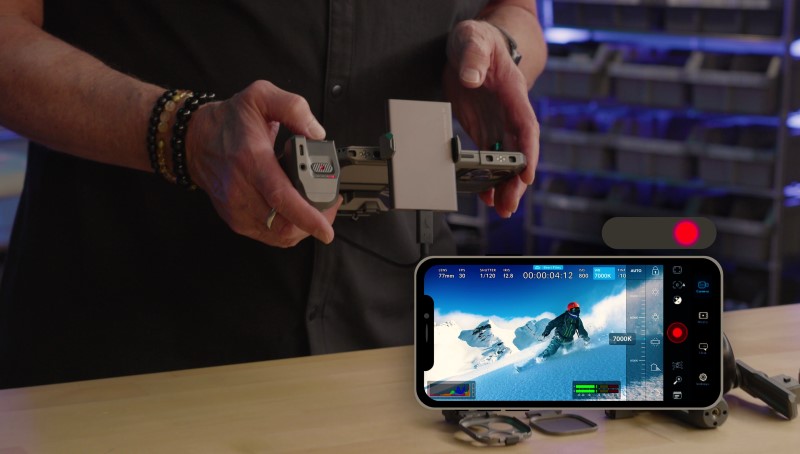 |
Shane emphasizes the importance of this: “[The Blackmagic app] enables me to have all my settings… the lens that I select, the shutter speed, the ISO, everything that a professional camera gives you. Now I have in the palm of my hand.”
ELEVATING THE IMAGE: PROFESSIONAL ON-CAMERA TOOLS
With the core rig established, the next step is to add tools for cinematic image control.
CONTROLLING LIGHT: A PROFESSIONAL FILTER SYSTEM
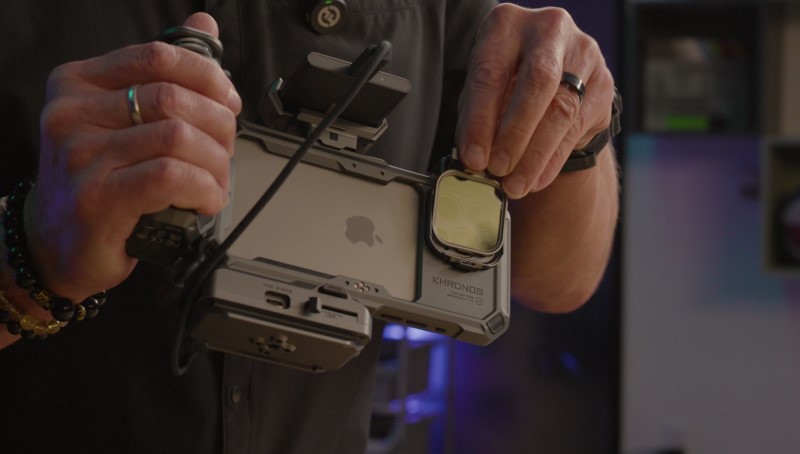
To control light and achieve a cinematic depth of field, you need Neutral Density (ND) filters. The Khronos system features a magnetic filter tray that clips securely over the iPhone’s lenses.

Shane notes the importance of the design:
“There’s no way that light can get in… you don’t want any light to go in between this and your neutral density filter.”
This system allows you to easily add NDs, polarizing filters, and diffusion filters, giving you the same creative light control you’d have with a traditional cinema camera.
STAYING COOL AND STABLE
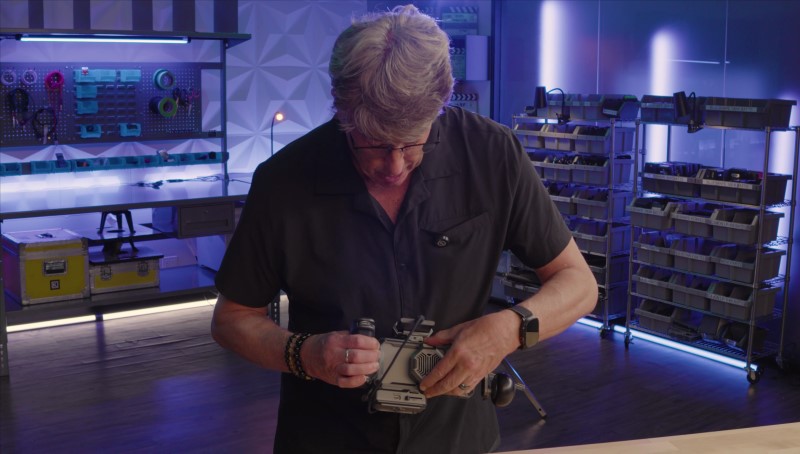
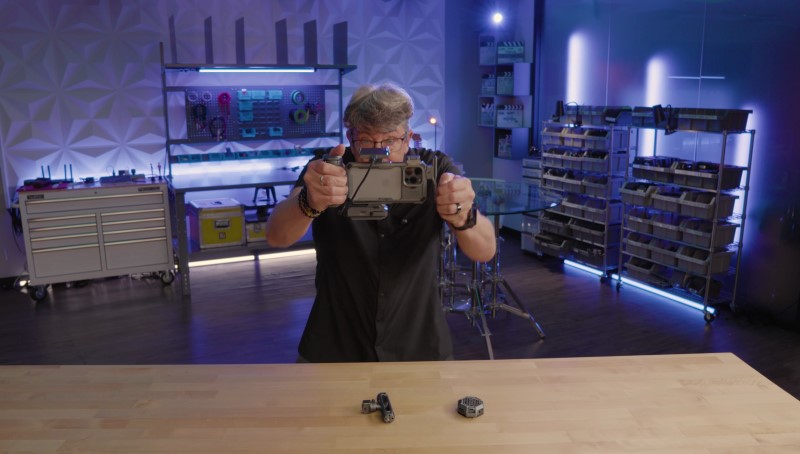
For long takes, iPhones can overheat. The Khronos system addresses this with a magnetic cooling fan module that draws power from the cage and handle. It features two fan speeds to keep the phone operating at optimal temperature.
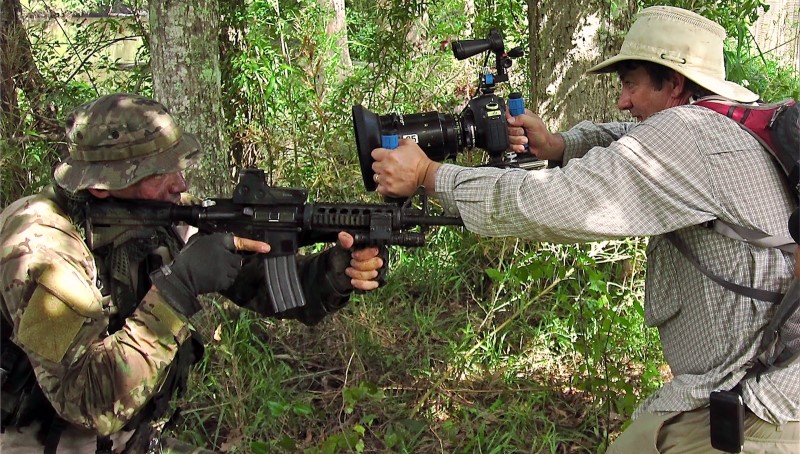
For added stability, a top handle can be added, creating what Shane calls his “‘man cam‘ days back in Act of Valor,” providing a solid two-handed grip for dynamic shooting.
 |
 |
THE PRO WORKFLOW: INTEGRATING YOUR EXISTING GEAR
This is where the rig truly transforms from a powerful vlogging setup to a professional production tool, designed for filmmakers who already have other gear.
KONDOR BLUE & ANGELBIRD: USING YOUR PRO MEDIA
Shane reveals a brilliant adapter made by Kondor Blue and Angelbird.
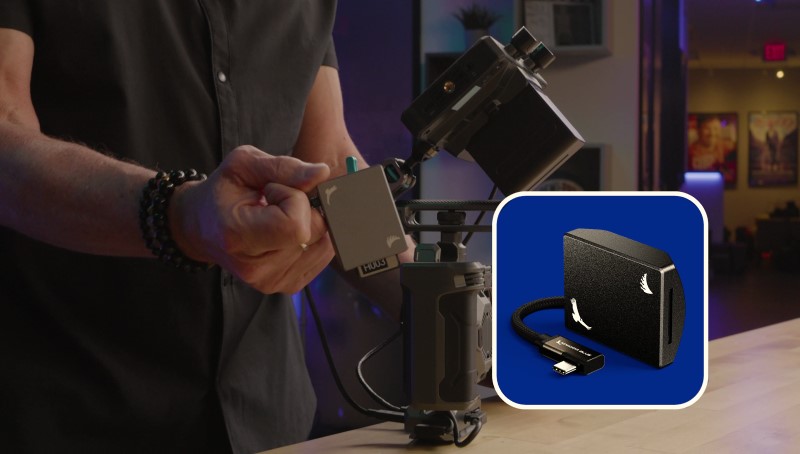
“You don’t have to go out and buy another SSD,” he explains.
This device is a card reader that plugs into the rig, allowing you to record directly onto the professional media you already own, such as CFexpress cards. This not only saves money but also streamlines your data workflow, integrating your iPhone footage directly with your professional media pipeline.
HOLLYLAND & NUCLEUS NANO: INVOLVING THE CREW
To complete the setup, Shane adds a Hollyland 5-inch monitor via the HDMI out. This isn’t just for a bigger view; it’s for collaboration.
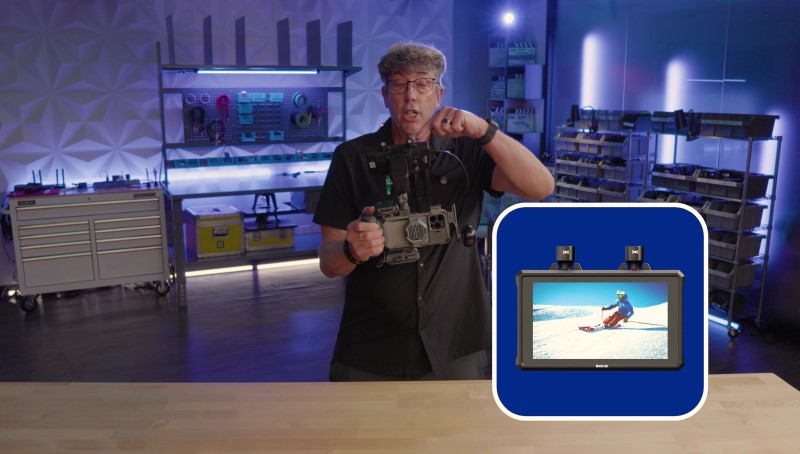
He explains, “This is also sending this to my focus puller so she can pull focus from the Nucleus Nano remote follow focus.”

By adding an external monitor and a remote follow focus system, the iPhone rig is no longer a one-person operation. It becomes a tool that a professional crew, including a dedicated 1st AC (focus puller), can work with, just like any other cinema camera on set.
THE BOTTOM LINE: MORE THAN JUST A CAGE, IT’S A SYSTEM
What Shane Hurlbut, ASC demonstrates is a complete ecosystem that elevates the iPhone from a consumer device to a legitimate filmmaking instrument. By systematically addressing the core limitations of ergonomics, you can create a powerful, versatile, and professional-grade rig.
Power? Check. Connectivity? Check. How about storage and control? Check and check. All thanks to the Tilta Khronos system combined with the smart accessories from Kondor Blue.
This is another milestone in the ongoing democratization of filmmaking, empowering creators with new tools to tell their stories without compromise. Want to be a filmmaker? Now, there’s no excuse. It’s never been easier.
JOIN FILMMAKERS ACADEMY AND SAVE $50!
Ready to take your filmmaking skills to the next level? Join the Filmmakers Academy community and gain access to exclusive content, expert mentorship, and a network of passionate filmmakers. Use code FABLOG50 to save $50 on your annual membership!
This video is proudly lit exclusively by Nanlux-Nanlite Lights and sponsored by B&H and Hollyland.
EQUIPMENT LIST